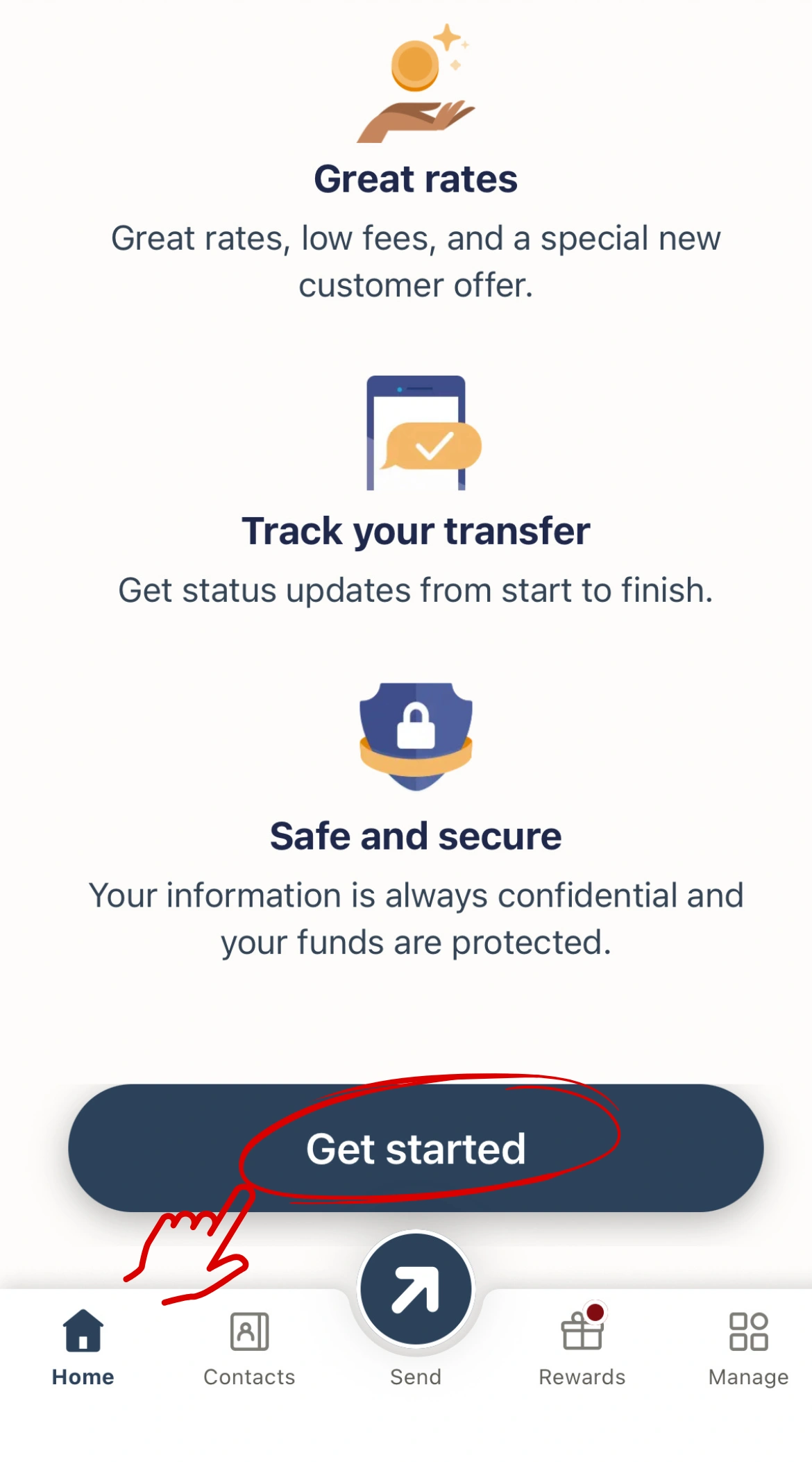
1. Sign Up / Log In Open the Remitly app. Choose your country of residence. Tap “Get Started”.
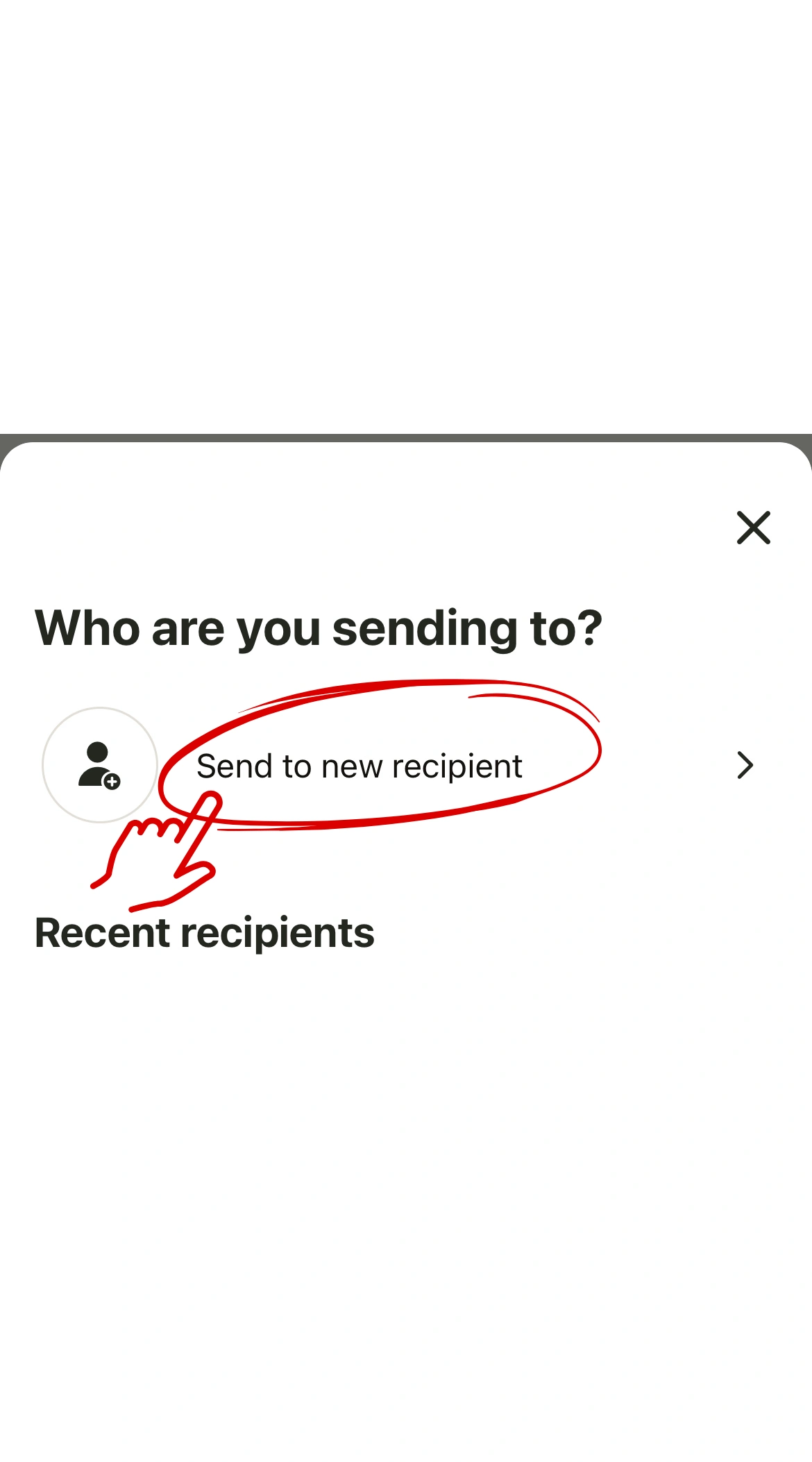
2. Start a New Transfer Tap “Send to a new recipient.”
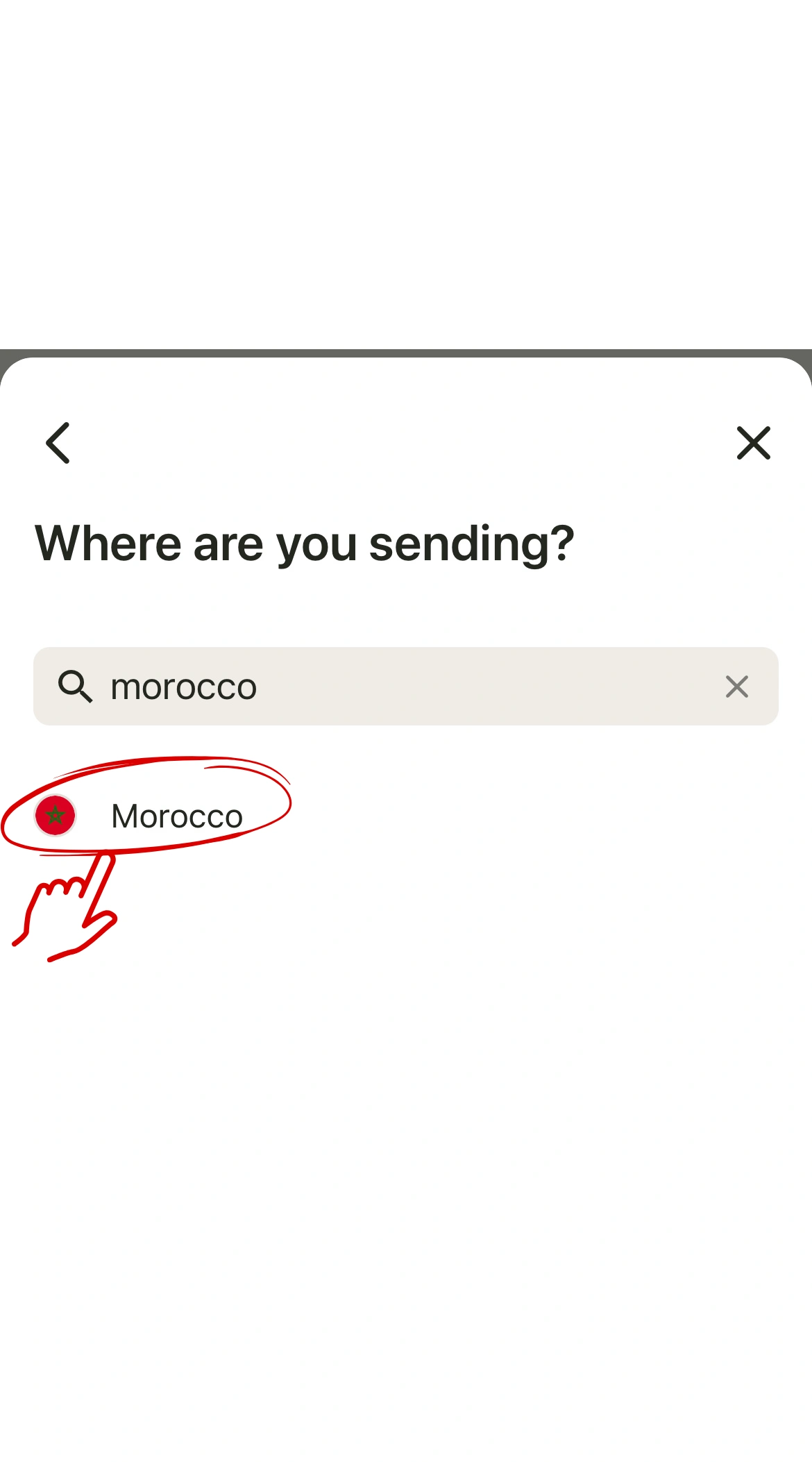
3. Choose the Destination Country Search for Morocco. Select Morocco as the receiving country.
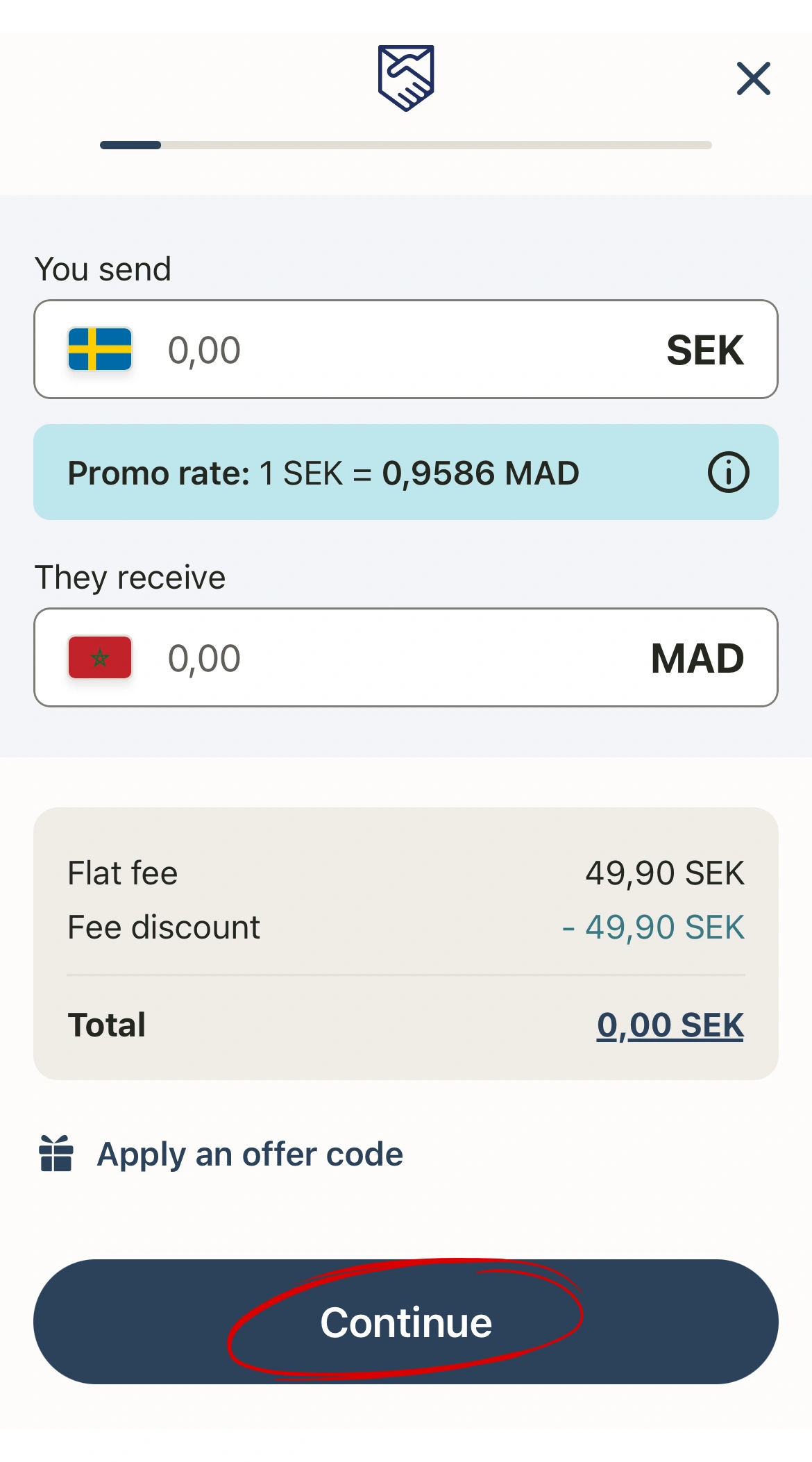
4. Enter the Amount Type the exact amount you want to send in your currency. Make sure it is correct, then tap Continue.
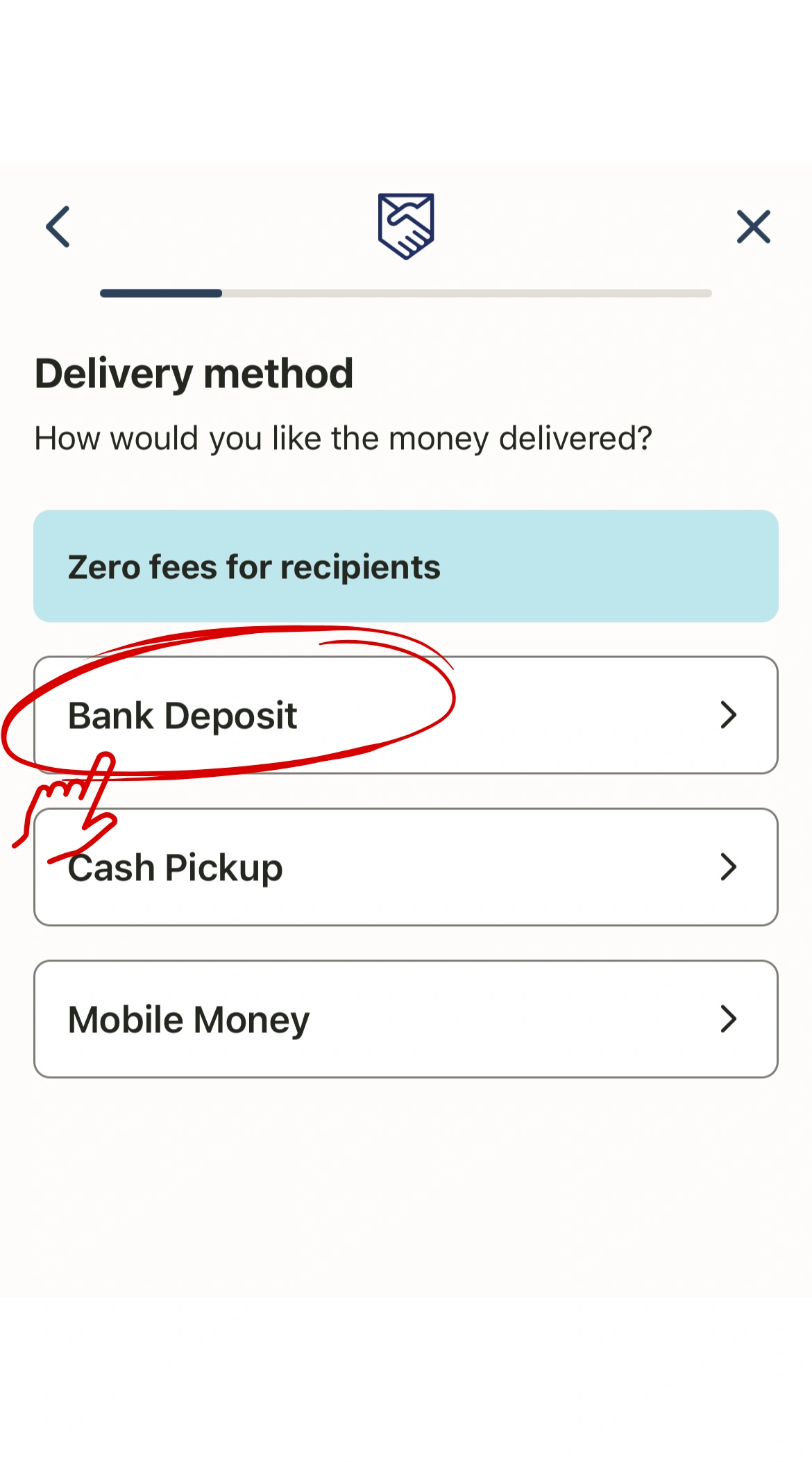
5. Select Delivery Method Choose Bank Deposit.
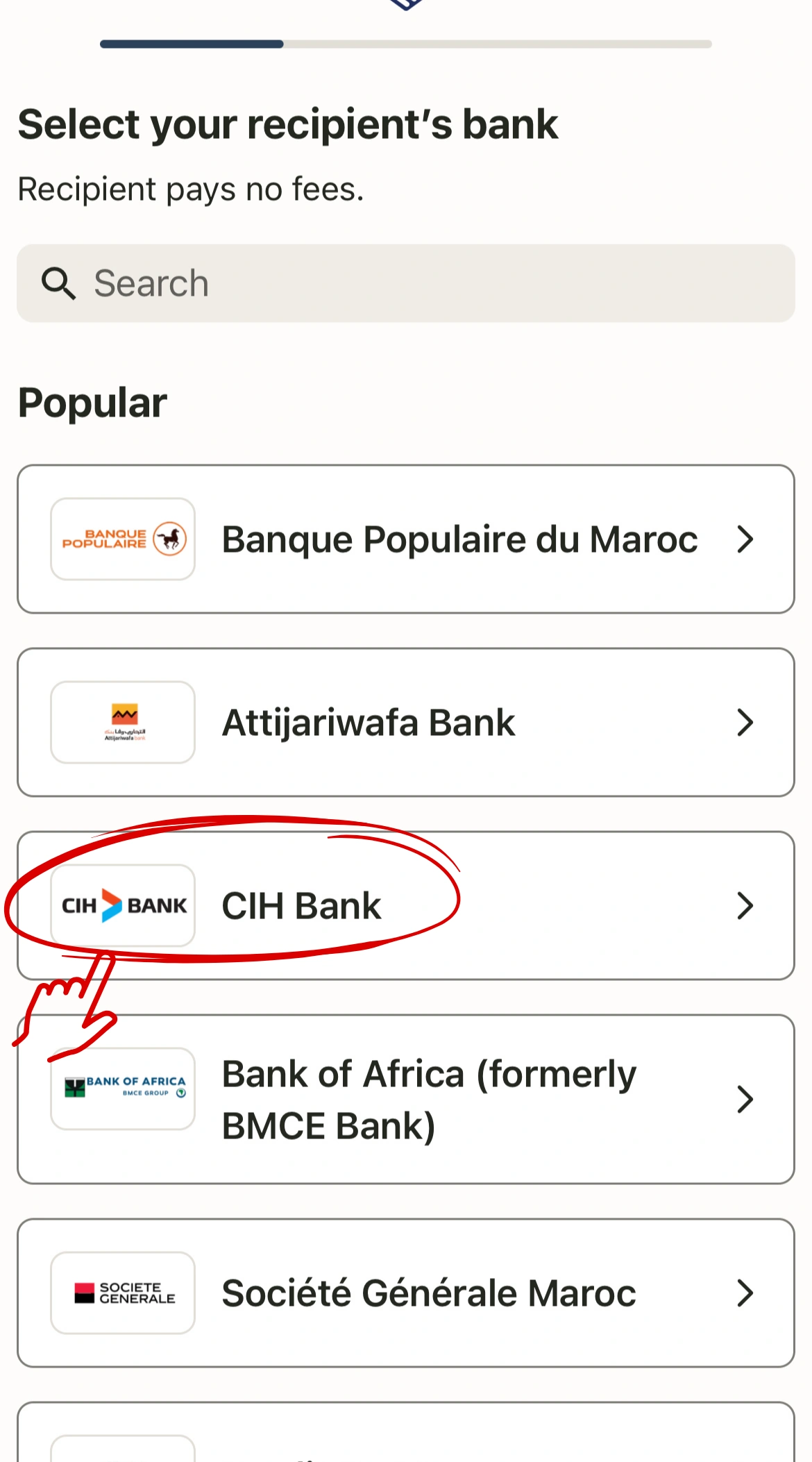
6. Select the Bank Choose CIH Bank.
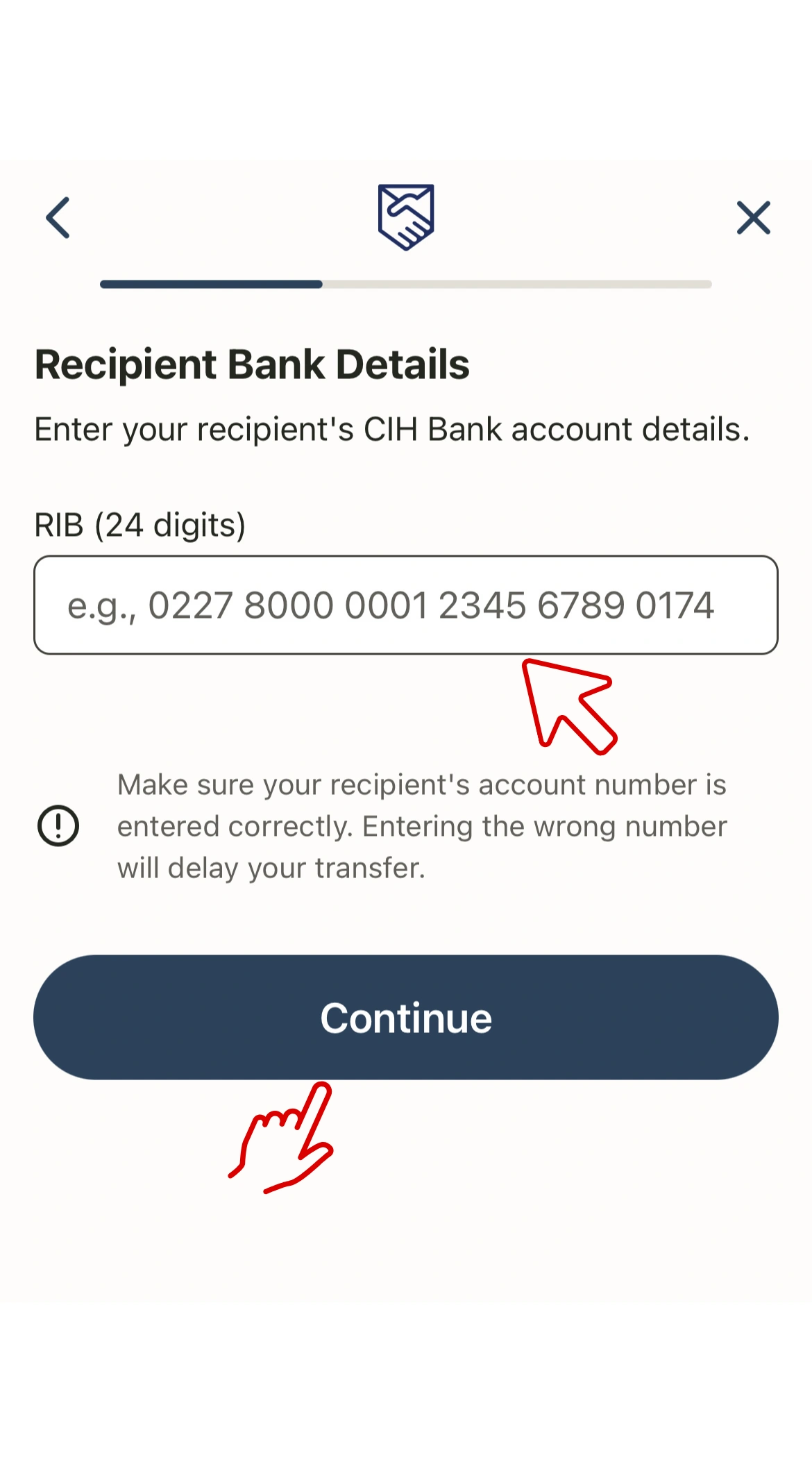
7. Enter the Bank Details Copy and paste this 24-digit RIB: 230270346268021100730069 Double-check that the RIB is 100% correct, then tap Continue.
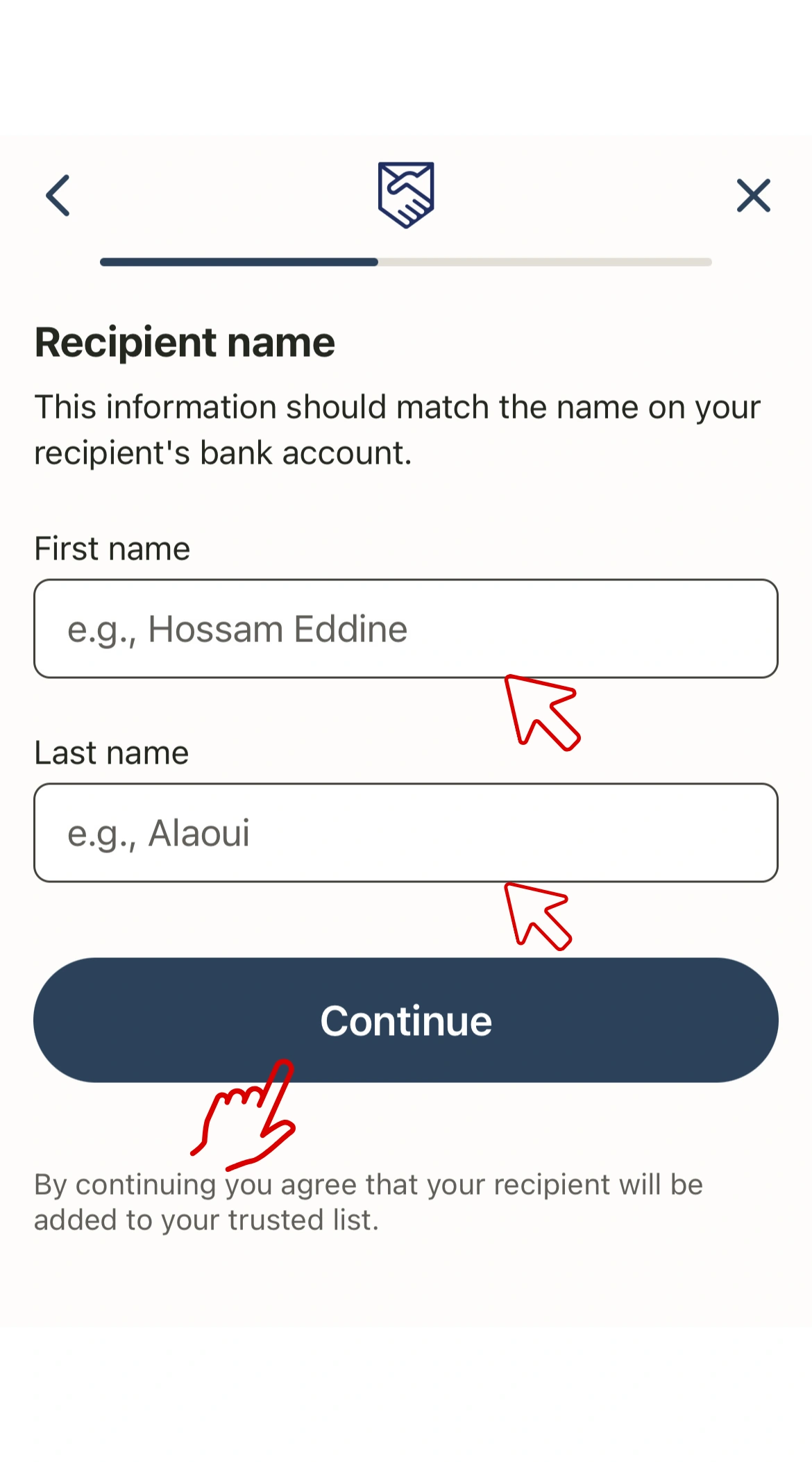
8. Recipient Name Enter this name exactly as provided: ANAS AMMARI Tap Continue.
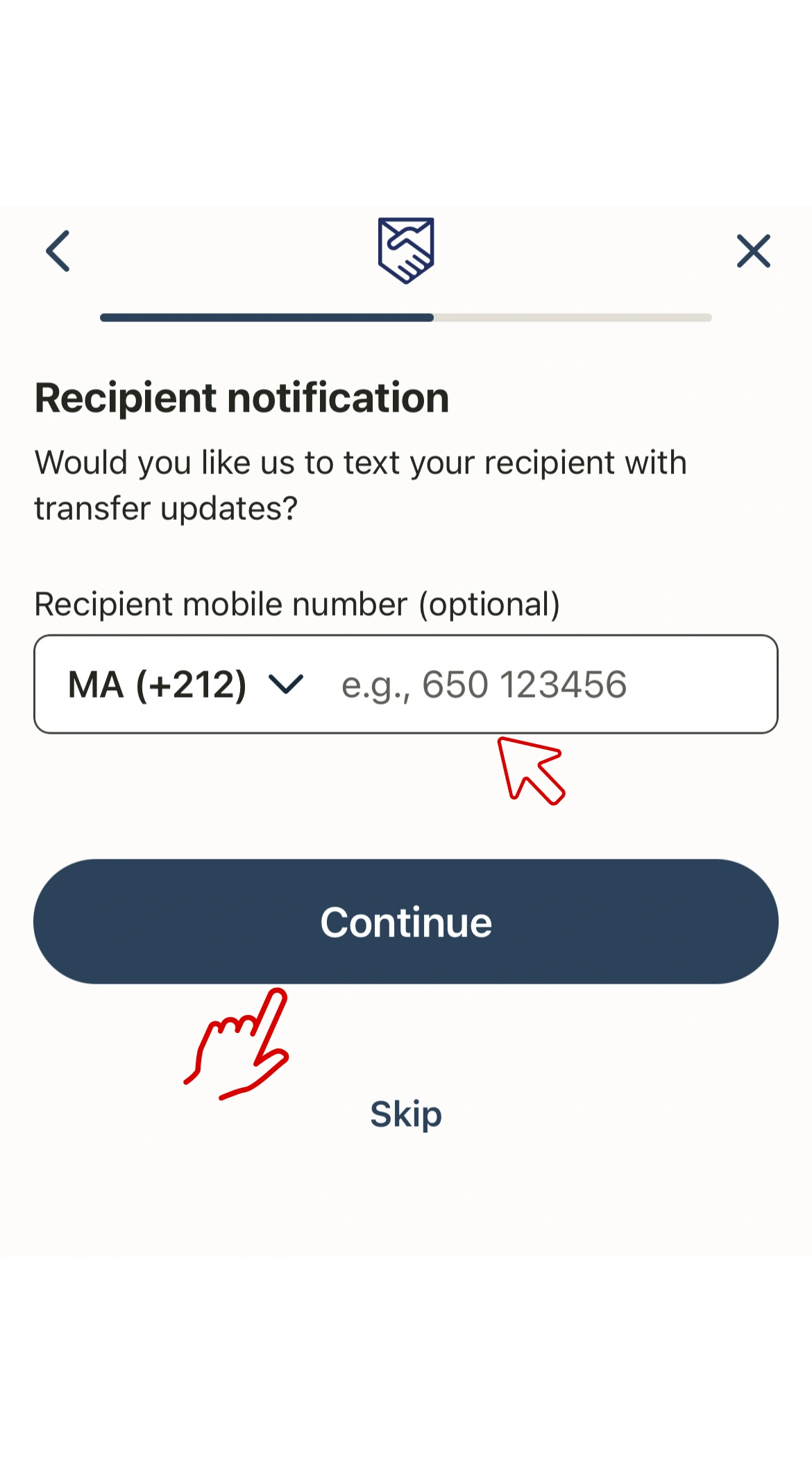
9. Recipient Phone Number Copy and paste this phone number: 0641944074 This number receives the payment notification. Tap Continue.
10. Final Step
– Fill out your personal information.
– Proceed with the payment and confirm the transfer.
✅ What Happens Next?
✅ Once we receive your payment screenshot, we will verify it and mark your order as complete immediately. ✅ You will receive your IPTV login details instantly after confirmation.
✅ Important Information
➡️ If your email is delayed, please check Spam / Junk / Promotions.
➡️ Our support team is available online at all times if you need help.
How to Send the Payment via Western Union
Please follow these steps carefully to complete your payment through Western Union:
✅ Complete Your Payment
To activate your subscription, please send us a screenshot of your transfer confirmation along with your order number and the transaction code on :
Download the Western Union app or visit the website.
Sign up or log in to your account.
2. Start a New Transfer
Click “Send Money.”
Choose Morocco as the receiving country.
Enter the Transfer Amount.
Type the amount you want to send in your currency.
3. Choose How the Recipient Will Receive the Money
Select Bank Account.
4. Choose Your Payment Method
Choose how you want to pay:
Debit/Credit Card
Bank Transfer
Apple Pay / Google Pay (depending on your country)
Click Continue.
5. Add New Receiver:
Enter Recipient Information :
Recipient Full Name:
ANAS AMMARI
Recipient Contact Phone Number:
0641944074
Bank Name: CIH Bank
RIB (24 digits):
230270346268021100730069
Make sure all information is entered correctly.
6. Review Transfer Details
Confirm the recipient name, RIB, and transfer amount.
Make sure everything is accurate before continuing.
7. Complete the Payment
Fill out your personal information.
Proceed with the payment and confirm the transfer.
Western Union will process your transfer.
✅ What Happens Next?
✅ Once we receive your payment screenshot and the payment notification on our number, we will verify it and mark your order as complete immediately. ✅ You will receive your IPTV login details instantly after confirmation.
✅ Important Information
➡️ If your email is delayed, please check Spam / Junk / Promotions.
➡️ Our support team is available online at all times if you need help.